| System modes |
Individual, JBOD, hardware RAID 0/1, Software control (Software control requires a QNAP NAS or Windows/macOS utility)
Note: You can only use one disk type (HDD or SSD) in a RAID group. Combining different types of disk in one RAID group is not supported.
|
| Features |
- Disk modes: Individual, JBOD, RAID 0, RAID 1.
- System, fan, and drive failure monitoring with LED and audio alerts.
- System sleep* during USB cable disconnection and host device hibernation** or shut down.
*RAID rebuild delays the sleep.
**Some hosts may not be supported.
|
| Minimum system requirements |
QNAP NAS or PC with a USB Type-A or Type-C port |
| Minimum operating system requirements |
- QNAP NAS: QTS 4.3.6 (or later)
- Windows: Windows 8.1 (or later), Windows Server 2012 R2 (or later)
- Mac: macOS X 10.13 (or later)
|
| System fan |
5-speed automatic fan control |
| Software utility |
Windows/macOS: QNAP External RAID Manager |
| Supported File Systems |
NAS storage (EXT4), external hard drive (EXT3, EXT4, NTFS, FAT32, HFS+, and exFAT*)
*Purchase of an exFAT driver license from the License Center is required. |
| QTS Storage Management Features |
- General & External Storage Mode
- Overview device, disks, and RAID info and status
- Support for disk S.M.A.R.T. monitoring
- Determine location of enclosure using LEDs and system speakers
- External RAID software configuration
- RAID rebuild
- RAID recovery
- Firmware update
- Format partition
- Erase partition and device
- NAS Storage Mode
- The storage pools and volumes in the expansion enclosures are configured via the QTS operating system.
- Volume and LUN snapshots – Snapshot Manager
- Snapshot Cloning – Snapshot Replica – Snapshot Vault
- Support for Windows Previous Versions (CIFS/SMB)
|
| Software utility Features |
- QNAP External RAID Manager
- Overview device, disks, and RAID information and status
- Support for disk S.M.A.R.T. monitoring
- Determine location of enclosure using LEDs and system speakers
- Desktop notifications for device alerts
- External RAID software configuration
- RAID rebuild – RAID rebuild speed customization
- RAID recovery – Firmware update
- Notifications when new firmware and application versions are available
- System event logs for troubleshooting
- Export event logs to .csv file
Note: Actual performance may vary depending on operating environment and other factors, such as RAID mode, RAID configuration, disk model and capacity.
|


















 Pick up from the Woodmart Store
 Courier delivery
 DHL Courier delivery


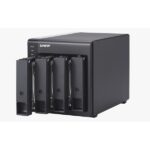
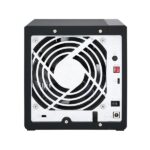
 Warranty 1 year
 Free 30-Day returns

 Overview
 Processor
 Display
 RAM
RAM
 Storage
 Video Card
 Connectivity
 Features
 Battery
 General